Understanding How Casbin Matching Works in Detail

This post explains how to design and implement RBAC with the Casbin library. For SaaS platforms with resource hierarchies and roles that inherit permissions, Casbin is a performant option.
Giới thiệu về RBAC
RBAC restricts access based on the roles users hold. To see how hierarchical RBAC works, we look at Azure’s RBAC and then implement something similar in Casbin.
Azure’s hierarchical RBAC
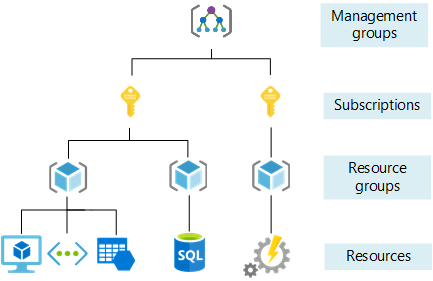
In Azure, the Owner role applies at different scopes. If I have Owner at the subscription level, I am Owner of all resource groups and resources under that subscription. If I have Owner at a resource group level, I am Owner of all resources in that group.
The image below shows Owner access at the subscription level. 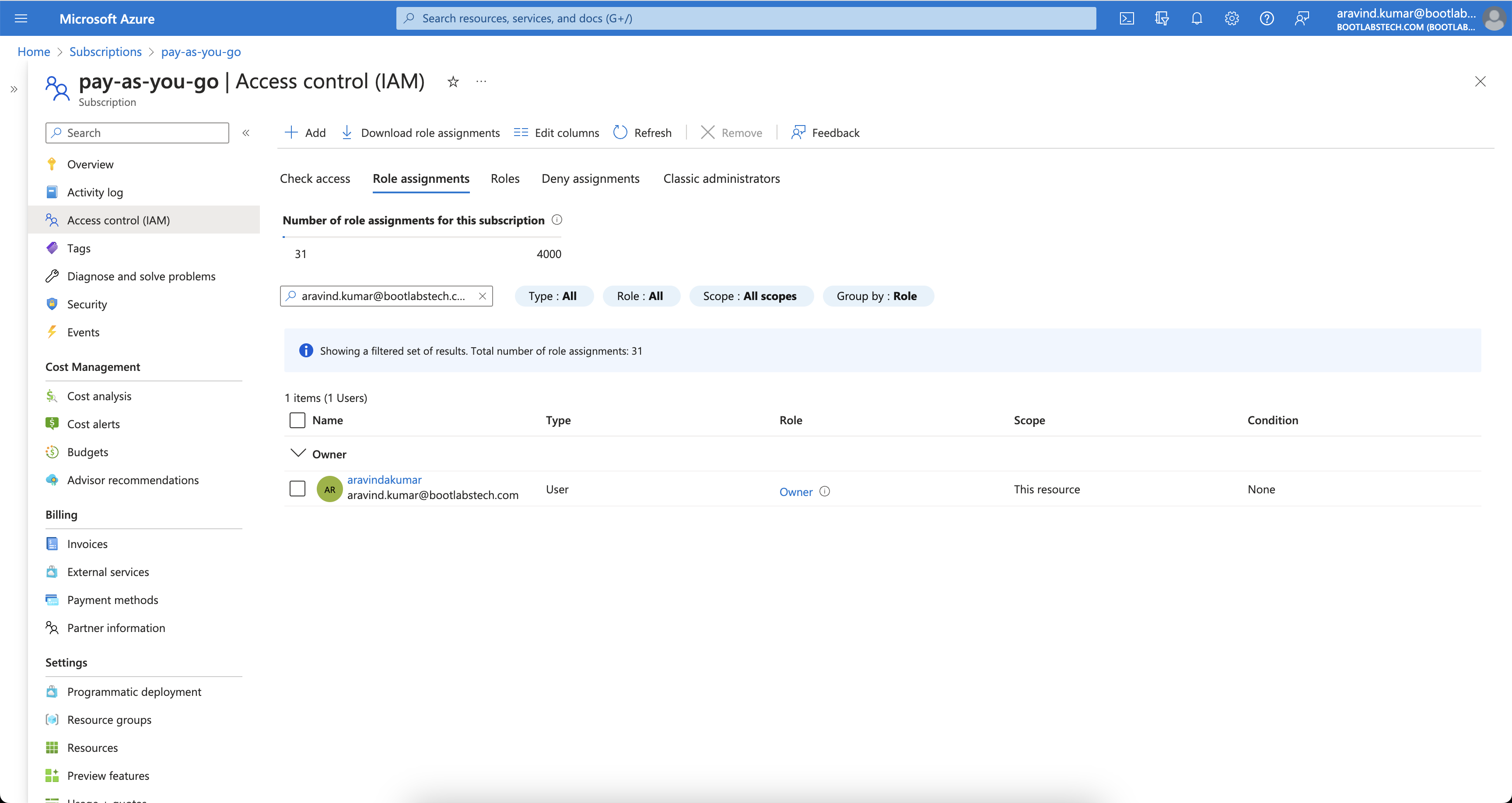
Checking IAM for a resource group under that subscription shows inherited Owner access. 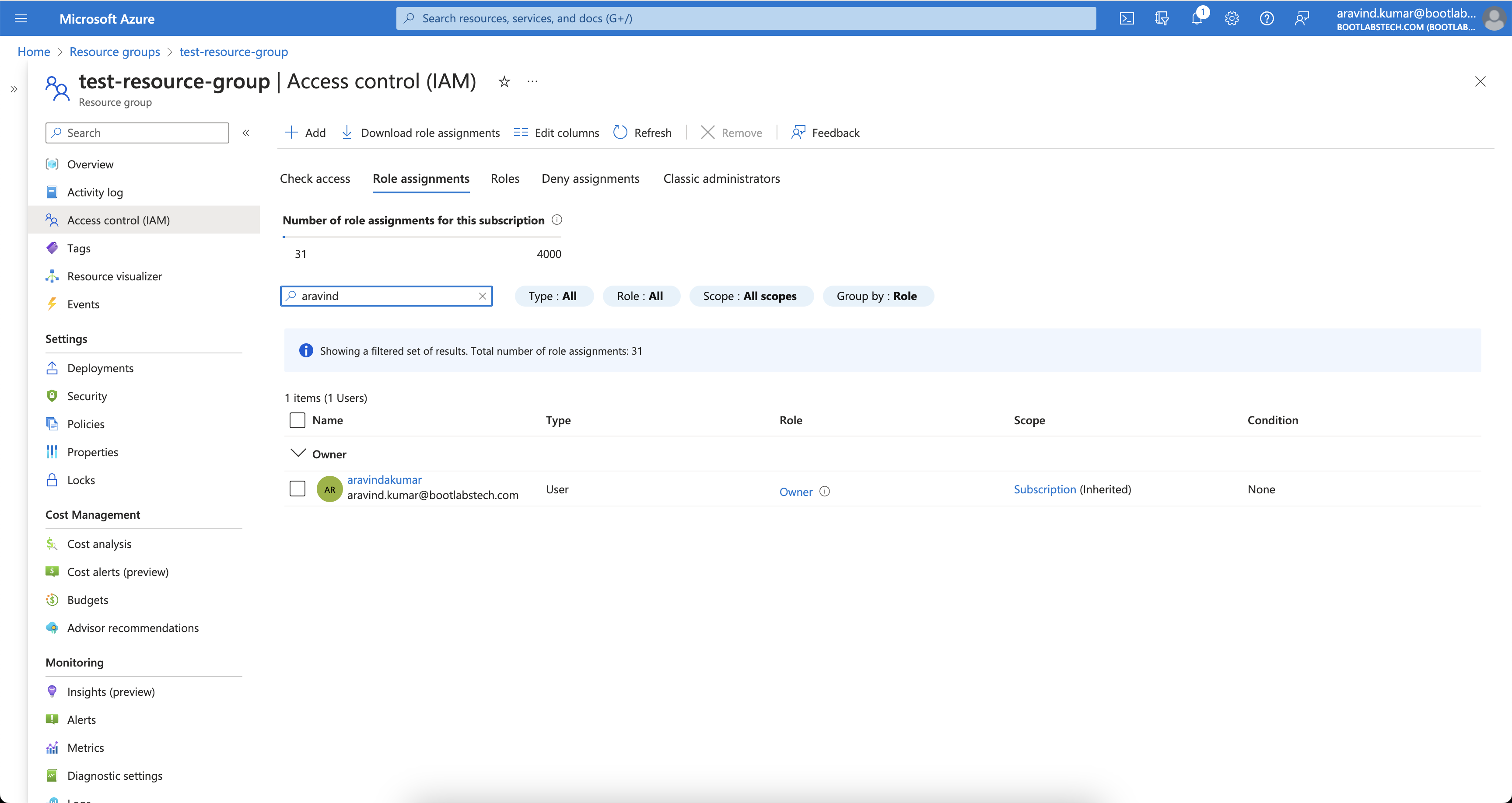
That is how Azure’s RBAC is hierarchical. Many systems use similar hierarchies. In this tutorial we implement a comparable model with Casbin.
How Casbin works
Understanding Casbin’s building blocks (request, policy, matcher, effect) makes it easier to design and tune your RBAC model.
ACL là gì?
ACL (Access Control List) maps users to actions and actions to resources.
Model definition
A minimal ACL model:
[request_definition]
r = sub, act, obj

[policy_definition]
p = sub, act, obj

[policy_effect]
e = some(where (p.eft == allow))

[matchers]
m = r.sub == p.sub && r.obj == p.obj && r.act == p.act
- request_definition — Defines the request format. E.g.
alice, write, data1means “Can Alice write data1?” - policy_definition — Defines the policy format. E.g. a policy
alice, write, data1grants Alice permission to write data1. - policy_effect — How multiple matching policies are combined (e.g. allow-override).
- matchers — The condition that must hold:
r.sub == p.sub && r.obj == p.obj && r.act == p.act.
Try it in the Casbin editor
Open the Casbin editor and paste the model above into the Model editor.
Dán nội dung sau vào Trình soạn thảo Chính sách:
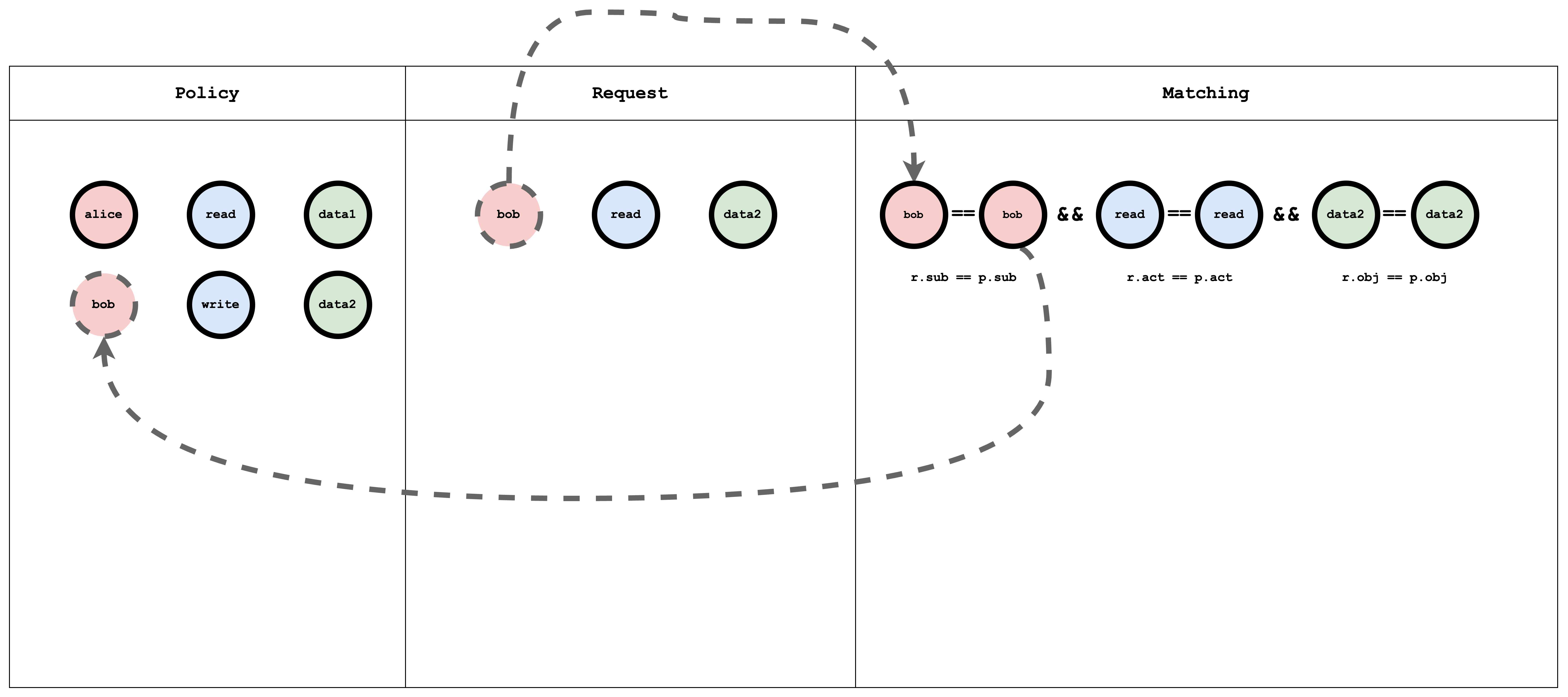
p, alice, read, data1
p, bob, write, data2
và nội dung sau vào Trình soạn thảo Yêu cầu:
alice, read, data1
Kết quả sẽ là:
true
Biểu diễn trực quan của mô hình ACL, chính sách và yêu cầu khớp nhau
RBAC là gì?
RBAC (Role-Based Access Control) assigns users to roles; roles have permissions on resources. A request checks whether the user’s role allows the action on the resource.
Model definition
A simple RBAC model:
[request_definition]
r = sub, act, obj

[policy_definition]
p = sub, act, obj

[role_definition]
g = _, _
g2 = _, _

[policy_effect]
e = some(where (p.eft == allow))

[matchers]
m = r.sub == p.sub && g(p.act, r.act) && r.obj == p.obj
- role_definition — Defines graph relations (e.g.
gfor role–role or user–role). The matcher uses these to resolve roles and permissions.
Try it in the Casbin editor
Open the editor and paste the model above.
Dán nội dung sau vào Trình soạn thảo Chính sách:
p, alice, reader, data1
p, bob, owner, data2

g, reader, read
g, owner, read
g, owner, write
và nội dung sau vào Trình soạn thảo Yêu cầu:
alice, read, data1
alice, write, data1
bob, write, data2
bob, read, data2
bob, write, data1
Kết quả sẽ là:
true
false
true
true
false
Biểu diễn trực quan của mô hình RBAC, chính sách và khớp yêu cầu
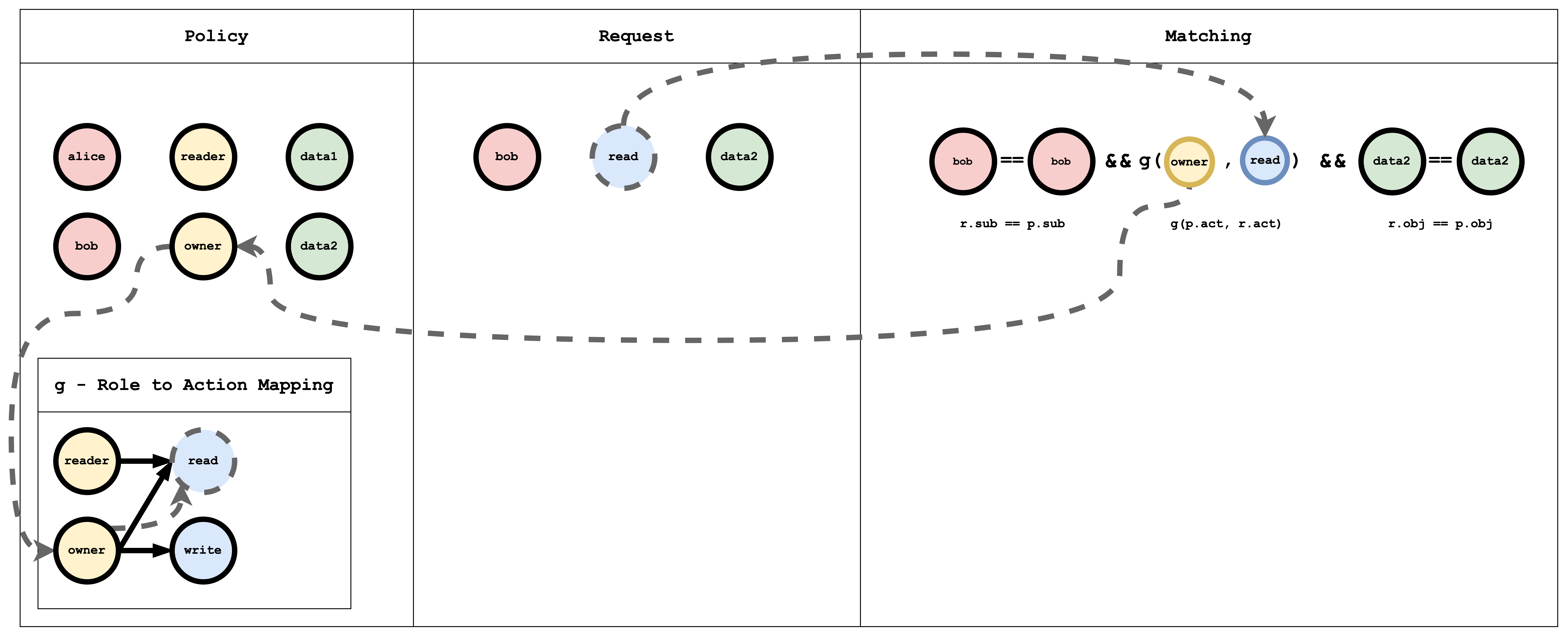
The g (role-to-action) relation is a graph. In policy it is written as edges, for example:
g, reader, read
g, owner, read
g, owner, write
p is a normal policy (compared with ==). g is a graph relation. You can add more with suffixes: g2, g3, etc.
Hierarchical RBAC
In hierarchical RBAC there are multiple resource types with inheritance (e.g. Subscription → ResourceGroup). A subscription sub1 can contain resource groups rg1, rg2. Similarly, there are subscription-level roles/actions and resource-group-level roles/actions, with inheritance between them. For example, the subscription role sub-owner might inherit to the resource-group role rg-owner: if I have sub-owner on sub1, I effectively have rg-owner on rg1 and rg2.
Model definition
A minimal hierarchical RBAC model:
[request_definition]
r = sub, act, obj

[policy_definition]
p = sub, act, obj

[role_definition]
g = _, _
g2 = _, _

[policy_effect]
e = some(where (p.eft == allow))

[matchers]
m = r.sub == p.sub && g(p.act, r.act) && g2(p.obj, r.obj)
Here g links roles/actions and g2 links resources (e.g. subscription to resource group).
Try it in the Casbin editor
Open the editor and paste the model above.
Dán nội dung sau vào Trình soạn thảo Chính sách:
p, alice, sub-reader, sub1
p, bob, rg-owner, rg2

// subscription role to subscription action mapping
g, sub-reader, sub-read
g, sub-owner, sub-read
g, sub-owner, sub-write

// resourceGroup role to resourceGroup action mapping
g, rg-reader, rg-read
g, rg-owner, rg-read
g, rg-owner, rg-write

// subscription role to resourceGroup role mapping
g, sub-reader, rg-reader
g, sub-owner, rg-owner

// subscription resource to resourceGroup resource mapping
g2, sub1, rg1
g2, sub2, rg2
Và dán nội dung sau vào Trình soạn thảo Yêu cầu:
alice, rg-read, rg1
Kết quả sẽ là:
true
Biểu diễn trực quan của mô hình RBAC, chính sách và khớp yêu cầu
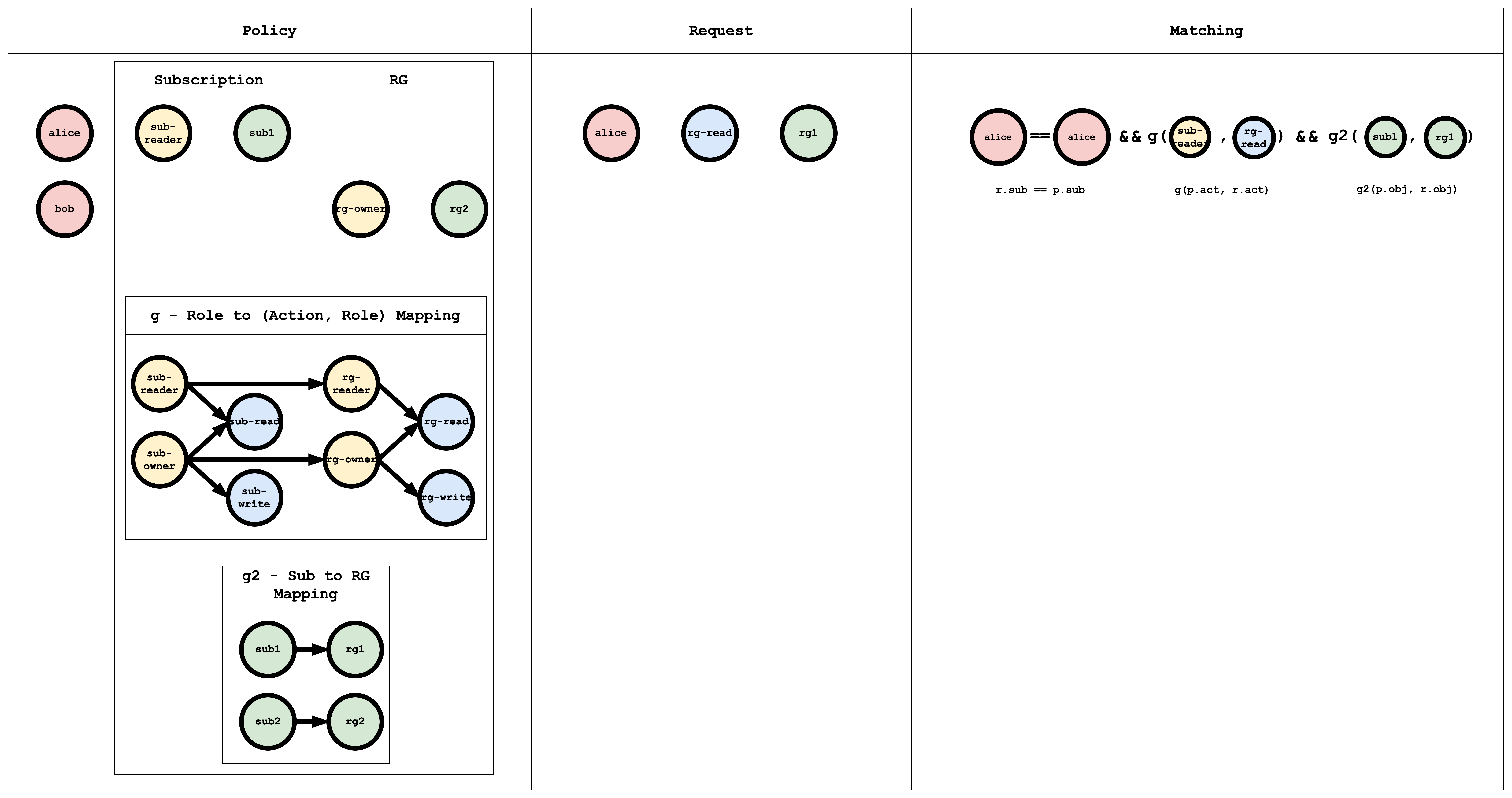
The g edges (role → action, role → role) can be written in policy as:
// subscription role to subscription action mapping
g, sub-reader, sub-read
g, sub-owner, sub-read
g, sub-owner, sub-write

// resourceGroup role to resourceGroup action mapping
g, rg-reader, rg-read
g, rg-owner, rg-read
g, rg-owner, rg-write

// subscription role to resourceGroup role mapping
g, sub-reader, rg-reader
g, sub-owner, rg-owner
The g2 edges map subscription to resource group:
// subscription resource to resourceGroup resource mapping
g2, sub1, rg1
g2, sub2, rg2
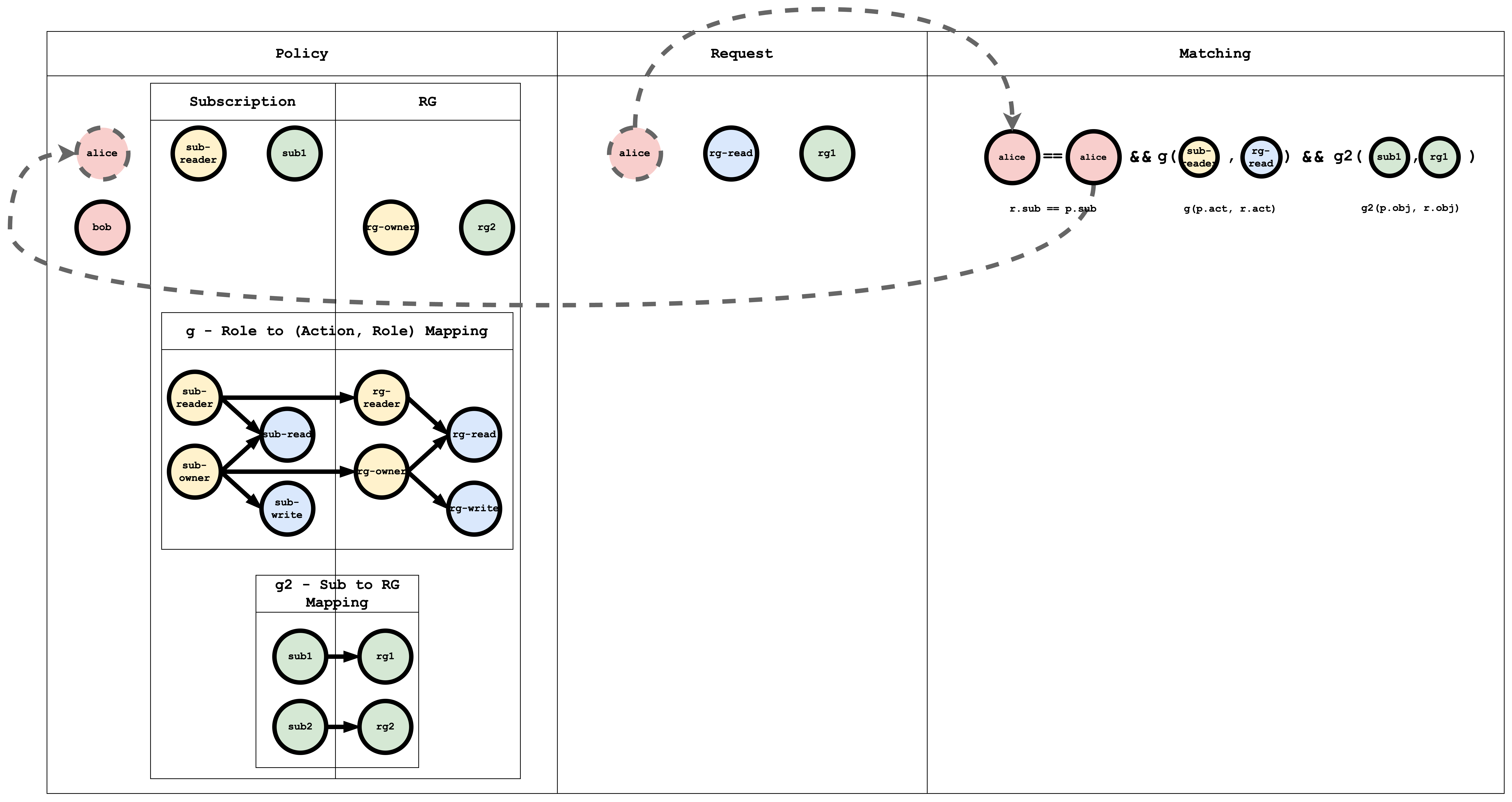
Biểu diễn trực quan khớp chủ thể
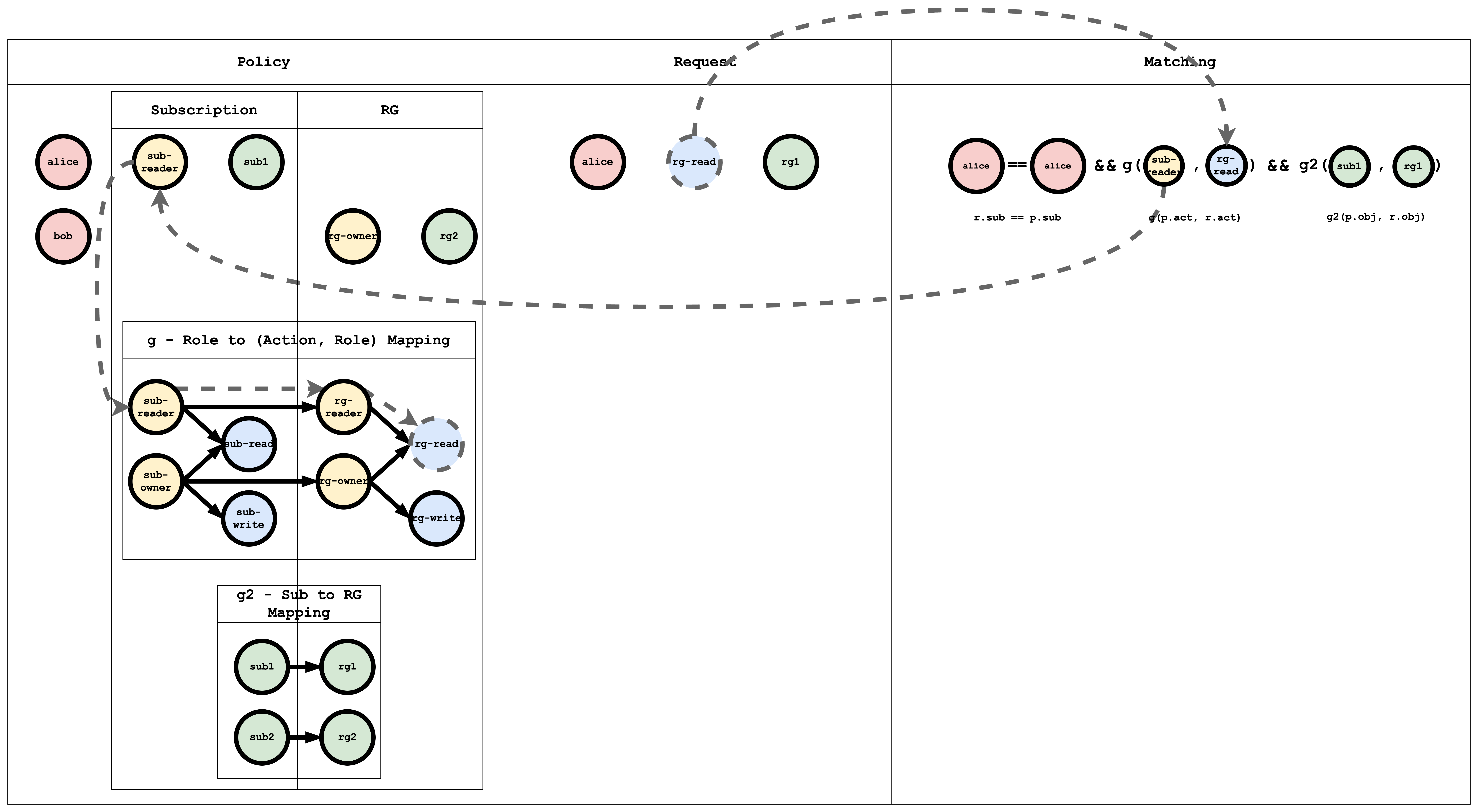
Biểu diễn trực quan khớp hành động
Biểu diễn trực quan khớp đối tượng
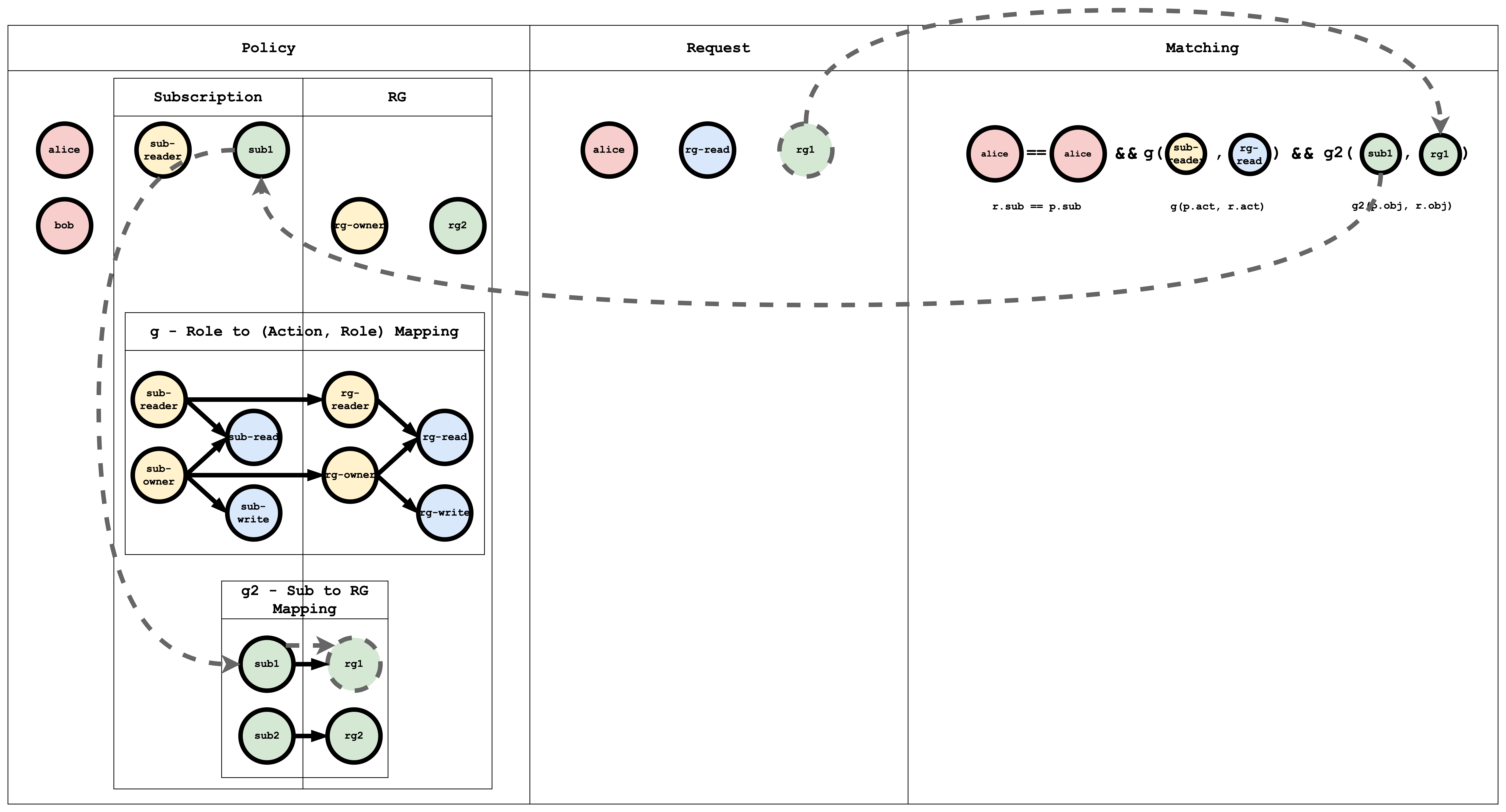
Casbin evaluates the request against all policies. If at least one policy matches, the result is true; otherwise false.
Kết luận
This tutorial showed how ACL, RBAC, and hierarchical RBAC can be expressed in Casbin. In a follow-up, we will implement this in a Spring Boot app and secure APIs with Casbin.
Comments are powered by giscus and GitHub Discussions. They load from giscus.app and GitHub only after you click the button below.